
Premium Wordpress Themes
Download premium WordPress themes for business, blogs, and eCommerce. Modern, responsive templates built for speed and easy customization.
Explore by Category
Find the perfect theme for any project
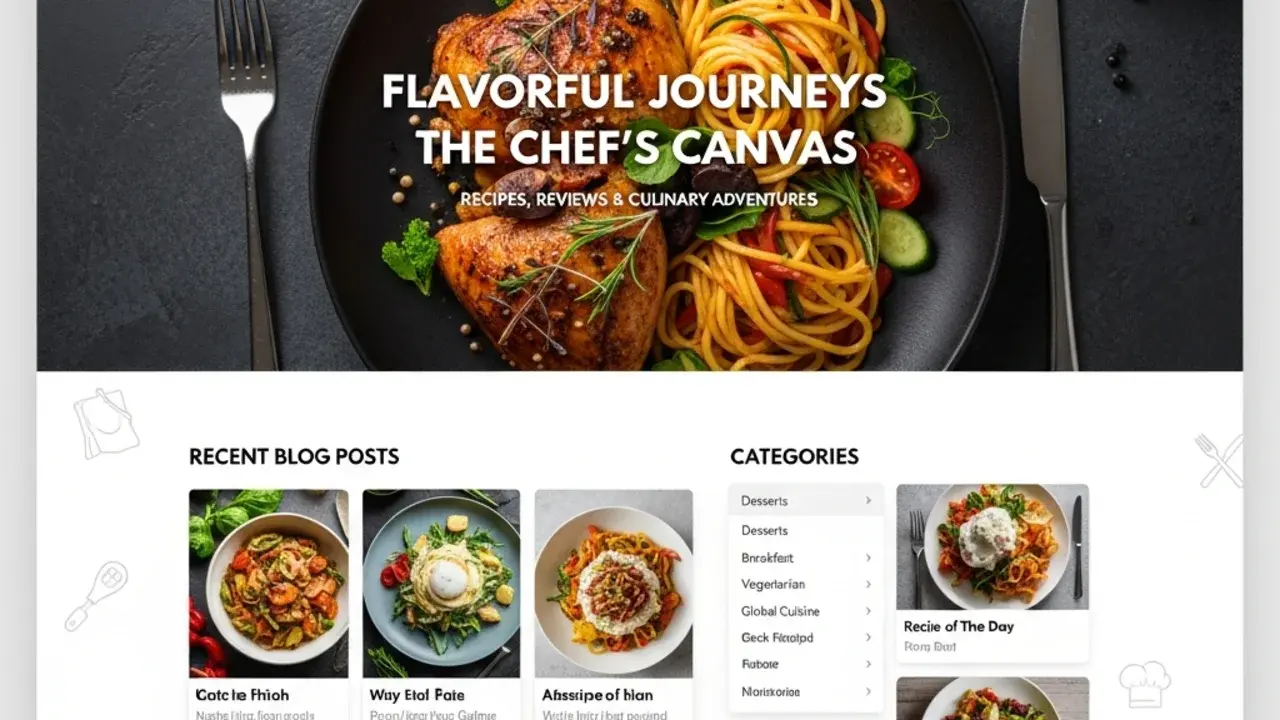
Featured Themes
Discover our premium WordPress themes
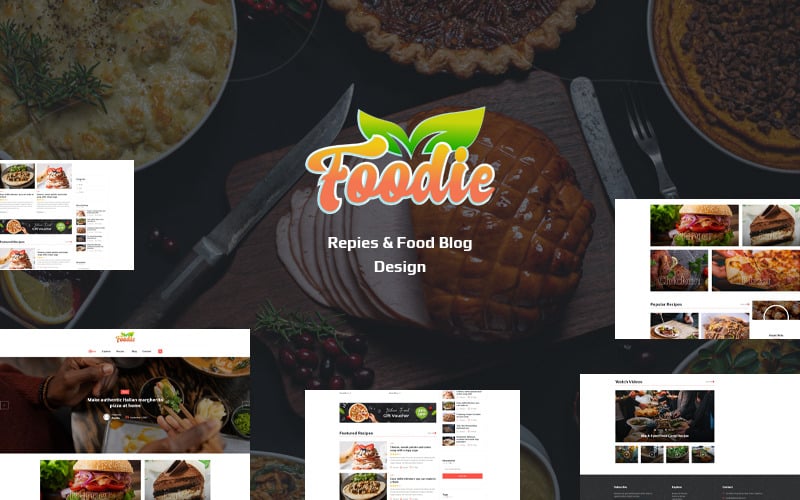
foodie wordpress theme
Download the professional foodie wordpress theme! Get this foodie theme with stunning design, responsive layout, and premium features. Perfect for food bloggers.
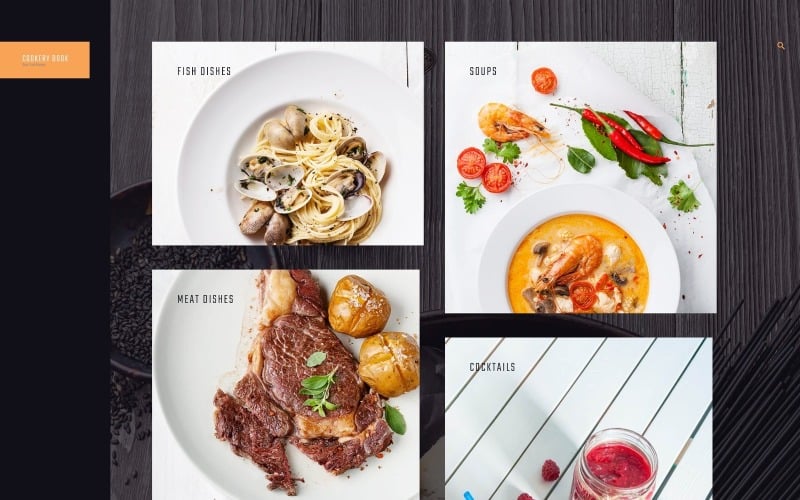
cookery book wordpress theme
Download this professional cookery book theme with modern design and responsive layout. Get premium features now!
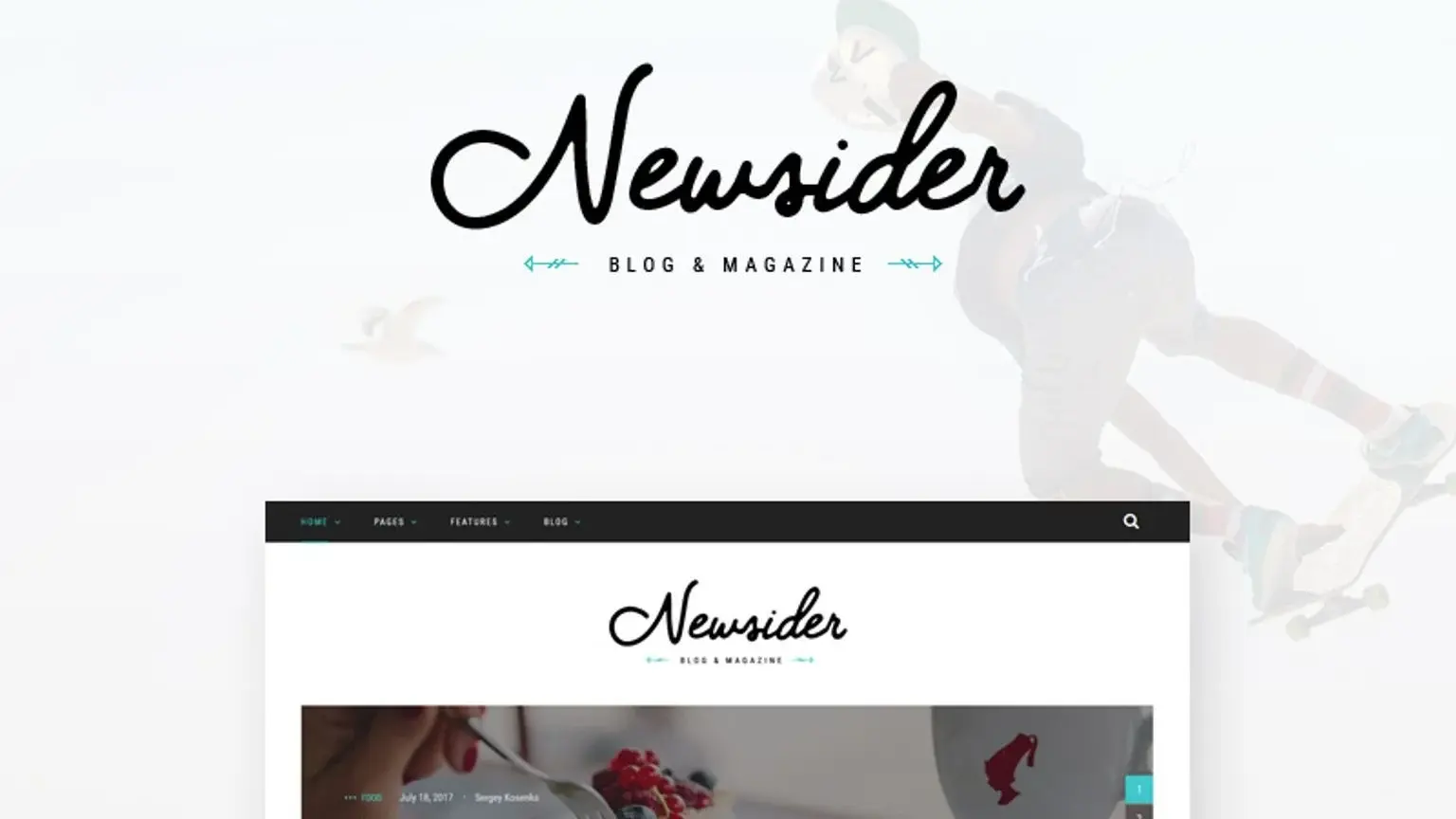
newsider wordpress theme
Download the professional Newsider WordPress Theme for blogs & magazines. Get a sleek, responsive, SEO-optimized design with endless customization. Perfect for your online content!
Download Premium WordPress Themes: Instant Access to Professional Website Designs
Ready to transform your website instantly? Download premium WordPress themes and launch your professional online presence in minutes, not months. No coding required, no expensive developers needed—just beautiful, fully-functional websites ready to customize with your brand.
Every theme you download from premium WordPress themes collections comes complete with everything you need: stunning designs, powerful features, one-click demo import, and instant activation. Whether you're building an online store, portfolio, business website, or blog, you're just one download away from a website that converts visitors into customers.
Why Download Premium WordPress Themes Instead of Free Alternatives?
When you download premium WordPress themes, you're not just getting a design—you're investing in your business success. Here's what separates premium downloads from free options:
🚀 Instant Professional Results
One-click demo import - Your site looks professional in seconds
Pre-built pages for every purpose (Home, About, Services, Contact, Shop)
Ready-made layouts that convert visitors into customers
Professional graphics and design elements included
Mobile-optimized from the moment you activate
50+ page templates - Every page you need pre-designed
No learning curve - Intuitive controls anyone can master
💰 Unbeatable Value
Save $5,000-$15,000 on custom development costs
Launch in hours instead of weeks or months
Lifetime updates keep your site modern and secure
Premium support included—get help when you need it
Unlimited modifications—make it truly yours
No recurring fees - One-time payment, forever access
Worth 10x the price - Features that would cost thousands separately
⚡ Performance That Drives Results
Lightning-fast loading speeds (under 2 seconds)
SEO-optimized code for higher Google rankings
Conversion-focused designs that increase sales
Mobile-first approach captures smartphone traffic
Security hardened to protect your business
99.9% uptime compatible - Reliable hosting support
CDN ready - Global content delivery optimization
Download the Perfect Theme for Your Business in 5 Simple Steps
Getting started with premium WordPress themes download is incredibly simple. Follow this proven process:
Step 1: Choose Your Theme Category
Browse our curated collection of premium WordPress themes organized by industry and purpose:
🏢 Business & Corporate - Professional themes for service companies
🛍️ eCommerce & Shop - Conversion-optimized WooCommerce themes
📝 Blog & Magazine - Content-focused designs for publishers
🎨 Portfolio & Creative - Stunning showcases for artists and designers
🍴 Restaurant & Food - Delicious designs with menu and booking features
🏋️ Health & Fitness - Dynamic themes for gyms and wellness businesses
🏠 Real Estate - Property listing themes with advanced search
📚 Education & eLearning - Course platforms and school websites
⚖️ Law & Legal - Professional themes for legal practices
💼 Finance & Consulting - Trust-building designs for professionals
🏨 Hotel & Travel - Booking-ready hospitality themes
💍 Wedding & Events - Beautiful celebration websites
🎵 Music & Entertainment - Artist and band portfolio themes
🚗 Automotive - Car dealership and repair shop designs
⚕️ Medical & Healthcare - HIPAA-compliant practice websites
Step 2: Preview Live Demos
Every theme includes fully functional demos. Test drive before you download:
Click any theme to view full demo site
Test on your phone to see mobile responsiveness
Click through all pages to explore features
Try interactive elements like menus, forms, and sliders
Check load speed with your browser tools
Test contact forms to ensure functionality
Browse on tablet to verify all screen sizes
Review documentation preview available
Step 3: Instant Download
Once you've found your perfect match, downloading is instant:
Click "Download Now" button on any theme
Complete quick checkout (secure payment processing)
Receive instant download link via email
Download theme ZIP file to your computer
Access documentation and installation guide
Download license key for activation
Join member area for support and updates
Step 4: Upload and Activate
Installing your downloaded theme takes less than 5 minutes:
Log into WordPress admin (yoursite.com/wp-admin)
Go to Appearance → Themes
Click "Add New" then "Upload Theme"
Choose your downloaded ZIP file
Click "Install Now" then "Activate"
Enter license key for premium features
Install recommended plugins with one click
Step 5: Import Demo and Customize
Transform your site into a professional masterpiece instantly:
One-click demo import installs pages, settings, and layouts
Replace demo text with your business information
Upload your logo and brand colors
Add your products or services
Customize fonts and colors
Configure homepage sections
Set up navigation menus
Test all functionality
Launch your professional site to the world!
What's Included When You Download Premium WordPress Themes
Every premium WordPress themes download comes packed with professional features worth thousands of dollars:
🎨 Design & Layout Features
20+ Pre-built Demos - Multiple design variations in one theme
Drag & Drop Page Builder - Create custom pages without coding
1000+ Design Elements - Headers, footers, sections, and blocks
Unlimited Color Schemes - Match your brand perfectly
600+ Google Fonts - Beautiful typography options
Icon Libraries - Thousands of professional icons included
Animation Effects - Eye-catching motion designs
Parallax Scrolling - Modern, engaging user experience
Video Backgrounds - Dynamic hero sections
Image Galleries - Multiple gallery styles included
Slider Revolution - Professional slideshow creator ($49 value)
Custom Widgets - Unique functionality blocks
⚙️ Powerful Functionality
WooCommerce Ready - Sell products immediately
Contact Forms - Lead generation built-in
Mega Menus - Showcase all your content
Portfolio Galleries - Display your work beautifully
Blog Layouts - Multiple content display options
Testimonial Sections - Build trust with social proof
Team Member Profiles - Introduce your staff
Pricing Tables - Present offers clearly
FAQ Sections - Answer common questions
Newsletter Integration - Grow your email list
Social Media Integration - Connect all platforms
Booking Systems - Accept appointments online
Event Calendar - Manage events and schedules
Google Maps - Custom styled location maps
🔧 Technical Excellence
SEO Optimized Code - Rank higher on Google
Speed Optimized - Lightning-fast loading times
Mobile Responsive - Perfect on every device
Browser Compatible - Works everywhere
Translation Ready - Multi-language support
RTL Language Support - Arabic, Hebrew, and more
Child Theme Included - Safe customization
Regular Updates - Always current and secure
Clean Code - WordPress coding standards
Schema Markup - Rich snippets ready
Lazy Loading - Improved performance
Minified Assets - Smaller file sizes
📚 Support & Documentation
Video Tutorials - Step-by-step installation guides
Detailed Documentation - Comprehensive feature explanations
Priority Support - Get help from theme experts
Community Forum - Connect with other users
Regular Updates - Free improvements forever
Live Chat Support - Real-time assistance
Email Support - Detailed help via email
Knowledge Base - Searchable help articles
Most Popular Premium WordPress Themes to Download Now
These top-rated themes are flying off the digital shelves. Download premium WordPress themes that thousands of businesses trust:
🏆 Best for Business Websites
Professional themes designed to establish credibility and generate leads:
Corporate Pro - Multi-purpose business theme with 15+ demos
Executive Suite - Elegant design for consulting firms
Business Hub - Modern layouts for service companies
Agency Elite - Perfect for marketing agencies
Startup Launch - Ideal for tech companies and SaaS
Professional Services - Lawyer and accountant ready
Enterprise Business - Large company corporate sites
🛒 Best for Online Stores
Conversion-optimized themes that turn browsers into buyers:
ShopMaster Pro - Complete WooCommerce solution
Fashion Store - Beautiful product displays
Digital Market - Perfect for digital downloads
Mega Shop - Handles unlimited products
Boutique Style - Elegant eCommerce design
Electronics Store - Tech product optimized
Marketplace Multi-Vendor - Build your own Amazon
📱 Best for Bloggers
Content-focused themes that engage readers and boost traffic:
Magazine Pro - Professional news and magazine layout
Blog Master - Clean, readable blog design
Viral Content - Social sharing optimized
Lifestyle Blog - Beautiful personal blog theme
Tech News - Modern technology blog design
Food Blog - Recipe card and gallery focused
Travel Blog - Adventure and journey documentation
🎨 Best for Portfolios
Visual themes that showcase your creative work perfectly:
Portfolio Master - Stunning project showcases
Creative Studio - Agency portfolio theme
Photography Pro - Image-focused design
Designer Showcase - Minimalist portfolio layouts
Architect Vision - Professional architecture theme
Video Producer - Videographer portfolio optimized
Artist Gallery - Fine art exhibition style
Industry-Specific Premium WordPress Themes
Specialized themes designed for specific business types with industry-relevant features:
🏨 Hospitality & Travel Themes
Perfect for hotels, resorts, travel agencies, and tourism businesses:
Booking Integration - Direct reservations from your site
Room Showcases - Beautiful accommodation galleries
Price Calculators - Seasonal rate management
Availability Calendar - Real-time booking status
Multiple Locations - Manage hotel chains
Virtual Tours - 360° property previews
Review Systems - Guest testimonial displays
🍕 Restaurant & Food Service Themes
Designed for restaurants, cafes, bakeries, and food delivery services:
Interactive Menus - Digital menu displays with filters
Online Ordering - Direct food delivery integration
Table Reservations - Booking system included
Chef Profiles - Showcase your culinary team
Recipe Sharing - Blog with recipe cards
Food Photography - Optimized image galleries
Multiple Locations - Restaurant chain management
💪 Fitness & Gym Themes
Built for gyms, personal trainers, yoga studios, and wellness centers:
Class Schedules - Timetable management system
Trainer Profiles - Staff bio and specialization pages
Membership Plans - Pricing and registration forms
Workout Programs - Exercise library with videos
Before/After Galleries - Success story showcases
BMI Calculators - Interactive health tools
Nutrition Guides - Diet plan presentations
🏥 Medical & Healthcare Themes
Professional themes for doctors, dentists, clinics, and healthcare providers:
Appointment Booking - Patient scheduling system
Doctor Profiles - Detailed practitioner pages
Service Descriptions - Treatment information pages
Insurance Integration - Accepted insurance displays
Patient Portal - Secure login areas
Medical Forms - HIPAA-compliant contact forms
Testimonial Systems - Patient review displays
🏠 Real Estate Themes
Advanced property listing themes for realtors, agencies, and property management:
Property Listings - Unlimited property displays
Advanced Search - Filter by price, location, features
Map Integration - Google Maps with property markers
Agent Profiles - Realtor bio and contact pages
Virtual Tours - 360° property walkthroughs
Mortgage Calculator - Financing tools
Compare Properties - Side-by-side comparisons
IDX Integration - MLS data feed compatible
Download Premium WordPress Themes: Pricing & Licensing
Transparent pricing with incredible value. Here's what you get when you download premium WordPress themes:
💎 Single Theme License - $49-$79
✅ Use on 1 website
✅ All premium features included
✅ 12 months updates and support
✅ Lifetime usage - keep using forever
✅ One-click demo import
✅ Premium documentation
✅ Video tutorials access
✅ Community forum membership
🎁 Theme Bundle - $199
✅ Access ALL themes in our collection
✅ Unlimited websites
✅ Lifetime updates for all themes
✅ Priority support
✅ New themes added monthly
✅ Best value - save over $1,000
✅ Early access to new releases
✅ Exclusive bonuses included
🚀 Developer License - $299
✅ Use on unlimited client sites
✅ All themes included
✅ Lifetime updates and support
✅ White-label options
✅ Extended documentation
✅ Perfect for agencies
✅ Developer resources access
✅ API documentation included
Technical Specifications: What Makes These Themes Superior
When you download premium WordPress themes, you get enterprise-level technical excellence:
⚡ Performance Benchmarks
Page Load Time: Under 2 seconds on standard hosting
Google PageSpeed Score: 90+ out of 100
GTmetrix Grade: A rating guaranteed
Core Web Vitals: All metrics pass Google standards
Time to First Byte: Under 600ms
Total Page Size: Optimized under 2MB
HTTP Requests: Minimized to under 50
🔒 Security Features
WordPress Coding Standards - 100% compliant code
SQL Injection Protected - Database security
XSS Prevention - Cross-site scripting protection
CSRF Protection - Form security included
Regular Security Audits - Third-party tested
Sanitized Inputs - All user data filtered
Secure File Uploads - Validated file handling
Login Protection Ready - Compatible with security plugins
📱 Mobile Optimization
Mobile-First Design - Optimized for smartphones first
Touch-Friendly - Large tap targets (44x44px minimum)
Responsive Images - Automatically sized for device
Mobile Navigation - Optimized hamburger menus
Fast Mobile Load - Under 3 seconds on 3G
AMP Compatible - Accelerated Mobile Pages support
PWA Ready - Progressive Web App capable
🎯 SEO Technical Features
Schema.org Markup - Rich snippets for all content types
Open Graph Tags - Optimized social sharing
XML Sitemap - Auto-generated for search engines
Breadcrumbs - Built-in navigation trails
Canonical URLs - Duplicate content prevention
Meta Tags - Full control over all meta data
Alt Text - Image optimization support
Heading Hierarchy - Proper H1-H6 structure
How to Choose Which Premium WordPress Theme to Download
With hundreds of options, selecting the right theme is crucial. Use this comprehensive evaluation checklist:
✅ Match Your Industry
Browse category-specific themes designed for your business type
Look for industry-relevant features (booking systems for restaurants, listings for real estate)
Check demo content that matches your business model
Verify included elements suit your needs
Review competitor sites for design inspiration
Consider your target audience preferences
✅ Evaluate Design Quality
Check visual hierarchy - Does content flow naturally?
Test typography - Is text readable and attractive?
Review color schemes - Do they match your brand?
Examine spacing - Is white space used effectively?
Assess imagery - Are photo styles consistent?
Test animations - Are effects smooth and purposeful?
✅ Check Performance Scores
Test demo site speed with Google PageSpeed Insights
Verify mobile responsiveness on multiple devices
Check loading times on your connection
Read performance reviews from other users
Test on slow connections (3G simulation)
Measure time to interactive
✅ Verify Features You Need
Essential features checklist for premium WordPress themes download:
☑️ Page Builder - Drag-and-drop customization
☑️ WooCommerce Ready - If selling products
☑️ SEO Optimized - Better search rankings
☑️ Mobile Responsive - Works on all devices
☑️ One-Click Demo - Fast setup
☑️ Regular Updates - Ongoing improvements
☑️ Good Support - Help when needed
☑️ Translation Ready - Multi-language support
☑️ Contact Forms - Lead generation tools
☑️ Social Integration - Share buttons included
✅ Assess Customization Options
Color customization - Can you match brand colors?
Font options - Are Google Fonts included?
Layout flexibility - Multiple header/footer options?
Widget areas - Enough sidebar/footer slots?
Template variety - Different page layouts available?
Custom CSS - Easy to add custom styles?
✅ Read User Reviews
Check star ratings (aim for 4.5+ stars)
Read recent reviews (last 3 months)
Look for support responsiveness mentions
Verify update frequency in review comments
Check for common issues reported
Note feature requests - Are they implemented?
Review response rate - Does developer respond?
✅ Check Developer Reputation
Years in business - Established developers preferred
Number of themes - Portfolio size indicates experience
Total sales - Popular themes = proven quality
Update history - Regular updates show commitment
Support reputation - Read support forum feedback
WordPress.org profile - Community involvement
Instant Setup: Your Site Live in 30 Minutes
From download to launch, here's your express timeline:
⏱️ Minute 0-5: Download & Install
Download theme ZIP file (30 seconds)
Login to WordPress (15 seconds)
Upload theme (2 minutes)
Activate theme (10 seconds)
Install required plugins (2 minutes)
⏱️ Minute 5-15: Import Demo
Choose your favorite demo (1 minute)
Click one-button import (5 seconds)
Wait for import completion (3-5 minutes)
Verify import success (1 minute)
Preview your new site (1 minute)
⏱️ Minute 15-25: Basic Customization
Upload your logo (2 minutes)
Change color scheme (3 minutes)
Update contact information (2 minutes)
Modify homepage text (5 minutes)
Add your social links (2 minutes)
⏱️ Minute 25-30: Launch Preparation
Test mobile version (2 minutes)
Check all links work (1 minute)
Test contact form (1 minute)
Set up Google Analytics (1 minute)
Go live! 🚀
Advanced Features You Get with Premium WordPress Theme Downloads
Beyond basic themes, premium WordPress themes download packages include pro-level features:
🎯 Marketing & Conversion Tools
A/B Testing Ready - Test what works best
Conversion-Optimized Layouts - Designed to sell
Pop-up Integration - Capture more leads
Email Marketing Integration - MailChimp, ConvertKit ready
Analytics Integration - Track everything
CTA Buttons - Pre-styled call-to-action elements
Landing Page Templates - Campaign-ready designs
Exit Intent Pop-ups - Recover abandoning visitors
Social Proof Widgets - Live visitor notifications
Countdown Timers - Create urgency
Sticky Bars - Announcement banners
Lead Magnets - Content upgrade sections
🛍️ eCommerce Excellence
Product Quick View - Faster shopping experience
Wishlist Functionality - Save favorite items
Advanced Product Filters - Find products fast
Product Comparison - Compare features side-by-side
Multi-Currency Support - Sell globally
Cart Drawer - Smooth checkout process
Size Guides - Reduce returns
Product Bundles - Increase average order value
Stock Countdown - Low inventory alerts
Related Products - Upsell opportunities
Product Videos - Enhanced demonstrations
Reviews System - Customer feedback display
📊 SEO & Performance
Schema Markup - Rich snippets in search results
Breadcrumbs - Better navigation and SEO
Lazy Loading - Faster page loads
Image Optimization - Automatic compression
Minified CSS/JS - Reduced file sizes
CDN Ready - Global content delivery
AMP Support - Mobile-optimized pages
Sitemap Generation - Help search engines crawl
Social Meta Tags - Optimized sharing
404 Error Pages - Custom not-found designs
🔐 Security & Reliability
Secure Coding Standards - WordPress approved code
Regular Security Updates - Stay protected
GDPR Compliant - Privacy regulation ready
SSL Compatible - Secure connections
Backup Compatible - Works with backup plugins
Brute Force Protection Ready - Enhanced security
Two-Factor Auth Support - Login security
Activity Logging - Track admin changes
Integration Capabilities: Connect Everything You Use
Premium themes seamlessly integrate with popular tools and services:
📧 Email Marketing Platforms
✅ MailChimp - Newsletter signup forms
✅ ConvertKit - Creator marketing integration
✅ Constant Contact - Email campaigns
✅ ActiveCampaign - Marketing automation
✅ AWeber - List management
✅ GetResponse - Email and landing pages
💳 Payment Gateways
✅ PayPal - Standard and Express checkout
✅ Stripe - Credit card processing
✅ Square - Unified commerce platform
✅ Authorize.net - Payment processing
✅ 2Checkout - Global payments
✅ Apple Pay/Google Pay - Mobile wallets
📊 Analytics & Tracking
✅ Google Analytics - Comprehensive tracking
✅ Google Tag Manager - Tag management
✅ Facebook Pixel - Ad tracking and retargeting
✅ Hotjar - Heatmaps and recordings
✅ Crazy Egg - Visual analytics
✅ Matomo - Privacy-focused analytics
🤝 CRM Integration
✅ Salesforce - Enterprise CRM
✅ HubSpot - Inbound marketing
✅ Zoho - Business suite
✅ Pipedrive - Sales pipeline
✅ Monday.com - Project management
📱 Social Media
✅ Facebook - Page integration and sharing
✅ Instagram - Feed displays
✅ Twitter - Tweet embedding
✅ LinkedIn - Professional networking
✅ YouTube - Video embedding
✅ TikTok - Short video integration
Premium WordPress Themes Download: Success Stories
Real businesses achieving real results after downloading premium themes:
📈 Case Study #1: Online Store Increased Sales by 347%
Business Type: Fashion eCommerce Store
The Challenge: Generic theme, poor mobile experience, low conversions, slow checkout process, high cart abandonment
The Solution: Downloaded WooCommerce premium theme with optimized checkout, product quick view, and mobile-first design
Implementation Time: 6 hours from download to launch
The Results:
✅ 347% increase in sales in first 3 months
✅ Mobile traffic conversion up 520%
✅ Cart abandonment reduced 63%
✅ Average order value up 42%
✅ Page load time reduced from 8s to 1.9s
✅ Customer satisfaction score increased to 4.8/5
Owner Quote: "I can't believe I waited so long to upgrade. The premium theme paid for itself in the first week. Our mobile customers can actually complete purchases now!"
💼 Case Study #2: Consulting Firm Tripled Client Inquiries
Business Type: Business Consulting Agency
The Challenge: Outdated website design, no clear call-to-action, low credibility, poor lead capture, unprofessional appearance
The Solution: Premium business theme with testimonials, portfolio, case studies, and lead generation forms
Implementation Time: 4 hours from download to launch
The Results:
✅ 3x more contact form submissions
✅ 156% increase in consultation bookings
✅ Average project value up 89%
✅ Bounce rate reduced 47%
✅ Time on site increased 213%
✅ SEO rankings improved to first page
Owner Quote: "The professional design immediately elevated our brand perception. Clients now see us as the premium service we are. ROI was 40x the theme cost in the first month!"
🎨 Case Study #3: Portfolio Site Generated $100K in New Business
Business Type: Freelance Designer
The Challenge: Invisible online presence, lost opportunities to competitors, amateur appearance, difficult portfolio navigation
The Solution: Premium portfolio theme with stunning galleries, client testimonials, and case study templates
Implementation Time: 3 hours from download to launch
The Results:
✅ $100,000 in new projects within 6 months
✅ 2,400% increase in portfolio views
✅ Featured in 3 industry publications
✅ Client inquiries up 580%
✅ Average project value increased 125%
✅ Booked solid for 9 months ahead
Owner Quote: "This was the best $59 I ever spent on my business. The theme showcases my work so beautifully that clients are reaching out to ME now. I raised my rates 50% and still can't keep up with demand!"
📚 Case Study #4: Education Site Enrolled 5,000 Students
Business Type: Online Course Platform
The Challenge: Confusing course navigation, low enrollment rates, poor mobile learning experience
The Solution: Premium eLearning theme with course builder, student dashboard, and progress tracking
The Results:
✅ 5,000 students enrolled in 8 months
✅ $240,000 in course revenue
✅ Course completion rate up 78%
✅ Student satisfaction 4.9/5
Troubleshooting & Common Setup Issues
Smooth setup for 99% of users, but here's help if you encounter issues:
🔧 Installation Issues
Problem: "The uploaded file exceeds the upload_max_filesize directive"
Solution: Contact your host to increase PHP upload limit to 64MB
Alternative: Install via FTP (instructions in documentation)
Quick Fix: Use "Install from Theme Panel" option if available
Problem: Theme looks broken after activation
Solution: Install required plugins from notification bar
Check: Ensure WordPress version is 5.0 or higher
Clear: Browser cache and hard refresh (Ctrl+F5)
🔧 Demo Import Issues
Problem: Demo import fails or times out
Solution: Increase PHP max execution time to 300 seconds
Alternative: Import sections individually instead of all at once
Contact: Support if issue persists (usually resolved in 1 hour)
Problem: Images not showing after demo import
Note: Demo images are placeholders (licensing restrictions)
Solution: Replace with your own images for commercial use
Bonus: Most licenses include stock photo collections
🔧 Customization Issues
Problem: Changes not appearing on frontend
Check: Clear caching plugins and browser cache
Verify: Changes were saved in customizer
Test: View in incognito/private browsing mode
Best Practices for Maximum Results
Get the most from your premium WordPress themes download:
🎯 Content Strategy
Use high-quality images - Invest in professional photos
Write compelling copy - Focus on benefits, not features
Include clear CTAs - Tell visitors what to do next
Add social proof - Testimonials build trust
Create urgency - Limited offers increase conversions
Optimize headlines - First impression matters most
⚡ Performance Optimization
Optimize all images - Compress before uploading
Use caching plugins - WP Rocket or W3 Total Cache
Enable lazy loading - Load images as needed
Minify CSS/JS - Reduce file sizes
Use CDN - Cloudflare free plan works great
Choose good hosting - Theme speed depends on server
🔍 SEO Optimization
Install SEO plugin - Yoast or Rank Math
Research keywords - Target what people search
Optimize meta titles - Include target keywords
Write meta descriptions - Increase click-through rate
Use header tags properly - H1, H2, H3 hierarchy
Add internal links - Connect related pages
Submit sitemap - Google Search Console
📱 Mobile Optimization
Test on real devices - Not just browser resize
Optimize tap targets - Buttons large enough to tap
Simplify mobile menus - Easy navigation crucial
Reduce pop-ups - Google penalizes intrusive mobile pop-ups
Test mobile forms - Ensure easy completion
Premium WordPress Themes vs Template Builders: Which Should You Download?
The marketplace offers various solutions beyond traditional premium WordPress themes. Understanding the differences helps you make informed download decisions:
🎨 Traditional Premium Themes vs Modern Page Builders
Premium Themes with Page Builders (Recommended):
When you download premium WordPress themes that include integrated page builders like Elementor Pro, WPBakery, or Beaver Builder, you get the best of both worlds. These themes provide professionally designed templates while giving you drag-and-drop customization freedom. The theme handles technical aspects like performance optimization, mobile responsiveness, and cross-browser compatibility automatically. You simply focus on content and design customization. This combination offers maximum flexibility without requiring technical expertise, making it ideal for business owners who want professional results without hiring developers.
Standalone Page Builder Plugins (Secondary Option):
Standalone page builders like Divi Builder, Thrive Architect, or Oxygen Builder give you complete design control from scratch. You start with a blank canvas and build everything yourself using their visual interface. While this provides ultimate creative freedom, it requires significantly more time investment and design knowledge. You make every decision about layout, spacing, typography, and responsive behavior. This approach suits experienced designers or agencies building highly customized sites for multiple clients. However, without professional design training, results often lack the polish of purpose-built premium themes.
Hybrid Themes (Emerging Category):
Hybrid themes combine pre-designed layouts with complete page builder integration. You can use templates as-is, customize them extensively, or build entirely custom pages. This flexibility means beginners start with professional templates while advanced users modify everything. Hybrid themes represent the evolution of WordPress theme design, offering accessibility for all skill levels while maintaining professional quality regardless of customization depth.
📊 Comprehensive Feature Comparison Analysis
Design Quality and Professionalism:
Premium themes feature designs created by professional UI/UX designers who understand user psychology, conversion optimization, and modern design trends. Every element placement serves a purpose, whether guiding visitors toward calls-to-action or improving content readability. Colors, typography, and spacing follow established design principles that create visually harmonious layouts. Page builders provide tools but rely on your design expertise. Without professional training, results may appear amateurish or confusing. Premium themes eliminate guesswork by providing tested, proven designs that consistently perform well across industries and use cases.
Time Investment and Learning Curve:
Downloading and installing a premium theme takes minutes, with demo import providing immediate professional results. Customization for basic branding (logo, colors, content) requires hours, not days. Page builders demand significant learning investment—understanding their interface, mastering design principles, learning responsive design techniques, and developing visual hierarchy skills. Building a professional site from scratch typically requires 40-80 hours for beginners. Premium themes compress this timeline to 4-8 hours total, representing 90% time savings while delivering superior results for non-designers.
Performance and Page Speed:
Quality premium themes optimize performance through minified code, efficient database queries, lazy loading, and selective script loading. Developers test themes across hosting environments, ensuring fast load times regardless of server configuration. Page builders often generate bloated code with unnecessary CSS and JavaScript, slowing page loads significantly. Every element added increases page weight and processing requirements. Inexperienced users frequently create slow-loading pages without realizing it. Premium themes maintain speed automatically while page builders require constant performance monitoring and optimization knowledge.
Mobile Responsiveness and Touch Optimization:
Premium themes test mobile responsiveness extensively across devices, screen sizes, and orientations. Breakpoints adjust layouts intelligently, ensuring readability and usability everywhere. Touch targets meet minimum size requirements for comfortable tapping. Navigation collapses appropriately for small screens. Page builders make you manually configure responsive behavior for every element. Beginners often miss mobile-specific issues until after launch, discovering poor user experience through analytics or customer complaints. Professional themes eliminate this risk through comprehensive mobile testing before release.
Browser Compatibility and Cross-Platform Testing:
Premium theme developers test across all major browsers—Chrome, Firefox, Safari, Edge—plus older versions still in use. They fix rendering inconsistencies, ensuring identical appearance everywhere. Page builder layouts may display correctly in your browser but break in others, creating inconsistent experiences. Testing every browser combination manually consumes significant time. Premium themes handle this complexity professionally, guaranteeing consistent experiences regardless of visitor browser choice.
💡 Real-World Scenario Comparisons
Scenario 1: Small Business Owner Launching First Website
Sarah owns a boutique bakery and needs a website showcasing products, accepting online orders, and sharing her story. She has no web design experience and limited time while managing daily operations. Downloading a premium WordPress theme specifically designed for bakeries provides her with ready-made pages for menu displays, online ordering integration, photo galleries, and customer testimonials. Within a weekend, she customizes colors to match her brand, adds product photos, writes brief descriptions, and launches a professional site. Total cost: $79 for theme plus hosting. Time investment: 8 hours spread across two days. Result: Professional website generating immediate online orders.
Alternative scenario with page builder: Sarah spends hours learning the interface, watching tutorials, and experimenting with layouts. She struggles with design decisions—spacing, colors, typography—lacking design background to create cohesive aesthetics. After three weeks of evening work totaling 40+ hours, her site launches with inconsistent design, slow page loads, and poor mobile experience. She hires a developer for $1,500 to fix issues. Total cost: $1,500+ plus hosting. Time investment: 40+ hours learning, plus developer time. Result: Acceptable but not optimal website after significant investment.
Scenario 2: Freelance Designer Building Client Portfolio Site
Marcus is a graphic designer needing a stunning portfolio showcasing his work to attract high-end clients. He understands design principles but wants to focus on content presentation rather than technical implementation. Downloading a premium portfolio theme provides him with multiple gallery layouts, case study templates, client testimonial displays, and contact forms. He imports demo content, replaces it with his projects, adjusts colors to match his personal brand, and launches within a day. The theme's animation effects and hover interactions impress visitors without requiring custom coding. Total cost: $59 theme. Time investment: 6 hours. Result: Award-winning portfolio that attracts six-figure clients.
Alternative scenario with page builder: Marcus enjoys complete creative control, building unique layouts for each portfolio piece. This customization takes three weeks of intermittent work totaling 30 hours. While results showcase his design skills, maintenance becomes burdensome as he must manually update layouts when adding new work. Page load times suffer from heavy customization, hurting SEO and visitor experience. Total cost: $0 (free builder) plus hosting. Time investment: 30 hours initial, 2 hours per update. Result: Unique design but high maintenance burden and performance issues.
Scenario 3: Agency Building Multiple Client Websites
Jennifer runs a digital agency creating websites for diverse clients—restaurants, lawyers, retailers, consultants. She needs efficient processes delivering professional results across industries. Purchasing a developer license for a premium theme collection ($299) gives her access to specialized themes for every client type. Projects start with industry-appropriate templates, customized to match client branding within days rather than weeks. Clients receive professional websites quickly and affordably. Jennifer's agency completes three projects monthly instead of one, tripling revenue while maintaining quality. Total cost: $299 annual license. Time per project: 10-15 hours. Result: Scalable agency model with consistent quality and profitability.
Alternative scenario with page builder: Jennifer uses a page builder to create completely custom sites for each client, emphasizing uniqueness. Each project requires 40-60 hours of design and development work. While impressive, this timeline limits her to one project monthly. Maintenance requires her personal involvement as layouts are too custom for clients to update themselves. Total cost: Page builder license plus development time. Time per project: 40-60 hours. Result: Unique websites but unsustainable business model limiting growth and profitability.
The Complete Guide to Theme Licensing: Understanding What You're Actually Buying
When you download premium WordPress themes, understanding licensing ensures legal compliance and value maximization:
📜 Standard License Terms Explained in Plain English
Single Site License (Most Common):
The standard license allows installing your downloaded theme on ONE production website plus unlimited development/staging sites for testing. You can use the theme indefinitely—it doesn't expire even after the support period ends. You cannot transfer the license to someone else or use it on additional production sites without purchasing additional licenses. This license costs $49-$79 typically and covers most individual business needs perfectly. The theme continues working forever; only support and updates have time limits (usually 6-12 months, renewable).
Extended License (Commercial Projects):
Extended licenses permit using the theme in commercial projects where end-users are charged for access. For example, if you build a membership site charging subscription fees, you need an extended license. Single licenses only allow free end-user access. Extended licenses typically cost 3-5x more than single licenses ($200-$400) but provide legal protection for commercial ventures. This investment protects your business from licensing violations that could result in costly legal issues or site takedowns.
Developer/Agency License (Multiple Projects):
Developer licenses allow installing themes on unlimited client websites. Agencies building sites professionally need this license type, as single licenses only cover one production site. Developer licenses cost $299-$599 annually but save thousands compared to purchasing individual licenses per project. These licenses typically include priority support, early access to new features, and extended documentation for developers. The investment pays for itself quickly when building multiple client sites monthly.
Lifetime License (Best Long-Term Value):
Some developers offer lifetime licenses providing permanent access to updates and support for a one-time fee, typically $200-$500. While initially more expensive than annual licenses, lifetime licenses eliminate recurring costs over time. For established businesses planning long-term website operation, lifetime licenses provide the best value—updates and support forever without additional payments. Calculate the break-even point: if annual renewal costs $99 and lifetime costs $299, you break even after three years, with free updates forever afterward.
⚠️ Common Licensing Mistakes That Could Cost You Thousands
Mistake 1: Using Single License on Multiple Sites:
Many website owners mistakenly believe purchasing one theme license allows using it across all their websites. This violates licensing terms and could result in legal action from theme developers. Theme companies employ automated systems detecting multiple installations using single license keys. Violations result in license revocation, site takedowns, or legal demands for payment. Proper approach: Purchase separate licenses for each production website or upgrade to a developer license if managing multiple sites regularly.
Mistake 2: Sharing Licenses With Others:
Licenses are non-transferable—you cannot share your purchased theme with friends, family, or colleagues. Each person or business needs their own license. Theme developers track license usage and invalidate keys detected on unauthorized domains. Sharing seems harmless but violates copyright law and licensing agreements. Instead, refer others to the theme's official sales page where they can purchase their own legal licenses supporting continued development.
Mistake 3: Using Nulled or Pirated Themes:
Downloaded themes from unofficial sources—often called "nulled" themes—lack license validation but contain serious risks. These themes frequently include malware, backdoors, or malicious code compromising website security. Hackers inject code stealing customer data, redirecting traffic, or hijacking your site entirely. Beyond security risks, using nulled themes violates copyright law, potentially resulting in legal action and significant financial penalties. The $49-$79 investment in legitimate themes provides security, support, and legal protection worth far more than saving money on illegal downloads.
Mistake 4: Assuming Licenses Never Expire:
While themes continue working indefinitely, support and update access expire after the initial period (typically 6-12 months). Many website owners mistakenly believe purchasing a theme provides lifetime updates automatically. When support expires, you can still use the theme but won't receive security updates, new features, or WordPress compatibility fixes. Renewing support annually costs 50-70% less than initial purchase but remains optional. Evaluate whether your site requires ongoing updates—active eCommerce sites need updates for security, while static brochure sites may operate safely on older versions.
Mistake 5: Not Understanding Refund Policies:
Most premium themes offer 30-day money-back guarantees, but conditions apply. You must request refunds within 30 days of purchase, and some developers require demonstrating you attempted using the theme first. Downloaded themes with installation assistance used don't always qualify for refunds. Read refund policies carefully before purchasing, understanding exactly what qualifies. Test themes thoroughly within the refund period to ensure they meet your needs before the window closes.
🎯 Choosing the Right License for Your Needs
Personal Blog or Portfolio (Single License):
If you're creating one website for personal use—blogging about hobbies, showcasing creative work, or building a personal brand—a single license provides everything needed. The $49-$79 investment covers your site completely, with renewal optional based on whether you need ongoing updates. Most personal sites operate perfectly on older theme versions, making renewal unnecessary unless you want new features or compatibility with major WordPress updates.
Business Website (Single or Extended License):
Business websites typically need single licenses unless charging customers for access. A consulting firm's website uses a single license. A membership site with paid subscriptions requires an extended license. Evaluate your business model carefully—if revenue comes from selling products/services rather than website access itself, single licenses suffice. Extended licenses only apply when the website itself is the paid product.
Web Design Agency (Developer License):
Agencies building client websites professionally need developer licenses providing unlimited installation rights. While initially more expensive, developer licenses cost less per project than purchasing individual licenses. An agency completing five client projects monthly with a $299 annual developer license pays $60 per project. Individual licenses at $79 each would cost $395 monthly ($4,740 annually). Developer licenses reduce costs by 94% while providing legal compliance and peace of mind.
Multisite Network (Varies by Developer):
WordPress multisite networks using one database for multiple sites require checking specific theme licensing. Some developers consider multisite installations as single sites if all operate under one domain. Others require licenses for each subdomain or separate domain. Contact theme developers directly before purchasing if running multisite networks, ensuring your license covers all installations legally. Assumptions about multisite licensing often prove incorrect, creating compliance issues later.
WordPress Hosting Requirements for Premium Themes
Your hosting environment significantly impacts how well your premium WordPress themes perform. Choose hosting that maximizes your theme's potential:
🚀 Recommended Hosting Types
Managed WordPress Hosting (Best for most users):
WP Engine - Premium managed hosting with automatic backups ($30/month)
Kinsta - Google Cloud infrastructure, blazing fast ($35/month)
Flywheel - Designer-friendly interface, excellent support ($25/month)
SiteGround - Affordable managed WordPress ($14.99/month)
Cloudways - Flexible cloud hosting options ($10/month)
Why managed hosting matters for premium themes:
✅ Automatic updates - WordPress core, PHP, and security patches
✅ Built-in caching - Themes load faster automatically
✅ Daily backups - Restore your site anytime
✅ Expert support - WordPress specialists help with theme issues
✅ Staging environments - Test theme changes safely
✅ CDN included - Global content delivery
✅ Enhanced security - Malware scanning and removal
⚙️ Minimum Server Requirements
Ensure your hosting meets these specifications for optimal premium WordPress themes performance:
PHP Version: 7.4 or higher (8.0+ recommended)
MySQL Version: 5.6 or higher (8.0 recommended)
Memory Limit: 256MB minimum (512MB+ recommended)
Upload Max Filesize: 64MB minimum (128MB+ recommended)
Post Max Size: 64MB minimum
Max Execution Time: 300 seconds minimum
Max Input Vars: 3000 minimum (5000+ recommended)
cURL: Enabled for external API connections
SSL Certificate: Free Let's Encrypt or paid SSL
💡 Hosting Features That Enhance Theme Performance
SSD Storage - 10x faster than traditional hard drives
HTTP/2 Support - Faster resource loading
PHP 8+ Support - Improved performance and security
Redis/Memcached - Object caching for dynamic content
Built-in CDN - Global content delivery network
Automatic Scaling - Handle traffic spikes
Git Integration - Version control for customizations
SSH Access - Advanced server management
Theme Migration: Switching to Your Premium WordPress Theme
Moving from your old theme to a premium WordPress theme download requires careful planning. Follow this complete migration guide:
📋 Pre-Migration Checklist
Complete backup - Database and all files
Document current setup - Screenshot all pages and settings
List active plugins - Note which you need to keep
Export theme settings - If current theme allows
Check widget areas - Document what's in each widget
Save customizer settings - Colors, fonts, layouts
Note menu locations - Which menus are assigned where
Create staging site - Test migration safely first
🔄 Step-by-Step Migration Process
Phase 1: Preparation (1-2 hours)
Create full site backup using UpdraftPlus or BackupBuddy
Test backup restoration on staging site
Download premium theme and review documentation
Check plugin compatibility with new theme
Identify shortcodes that need replacement
Plan content restructuring if needed
Phase 2: Installation (30 minutes)
Install premium theme on staging site first
Don't activate yet - Review theme settings first
Install required plugins from theme requirements
Import demo content to understand structure
Review imported pages and sections
Phase 3: Content Migration (3-5 hours)
Activate new theme on staging
Recreate homepage using new theme's page builder
Migrate about page content and formatting
Transfer blog posts (content auto-transfers)
Rebuild service pages with new layouts
Recreate contact page with new forms
Set up menus in new locations
Configure widgets for new widget areas
Phase 4: Configuration (2-3 hours)
Upload logo and favicon
Set brand colors in theme customizer
Choose fonts matching your brand
Configure header style and layout
Set up footer columns and content
Enable/disable features you need
Configure blog settings and layouts
Set up sidebar content and positions
Phase 5: Testing (2-3 hours)
Test all pages on desktop, tablet, mobile
Check all links work correctly
Submit test forms verify emails arrive
Test checkout process if eCommerce site
Check mobile menu functionality
Verify images load correctly everywhere
Test page speed with GTmetrix
Check SEO settings transferred correctly
Phase 6: Going Live (1 hour)
Schedule low-traffic time for migration
Final backup of current live site
Repeat installation on live site
Transfer customizations from staging
Clear all caches - hosting, plugin, CDN
Test live site immediately after launch
Monitor for issues first 24 hours
⚠️ Common Migration Pitfalls to Avoid
Not backing up first - Always create full backup before changes
Migrating during peak traffic - Choose low-traffic times
Forgetting redirects - Set up 301 redirects for changed URLs
Ignoring mobile testing - Test all devices before launch
Skipping staging environment - Always test migration first
Not checking forms - Verify all forms work after migration
Forgetting analytics - Reconnect tracking codes
Overlooking SEO - Verify meta titles and descriptions transfer
Content Strategy for Maximum Impact with Premium WordPress Themes
After you download premium WordPress themes, your content strategy determines success. Even the best designs fail without compelling content:
📝 Writing Website Copy That Converts Visitors into Customers
Homepage Copywriting Essentials:
Your homepage represents your digital storefront—first impressions matter critically. Visitors decide within 3-5 seconds whether your site serves their needs. Leading with benefits rather than features captures attention immediately. Instead of stating "We offer premium WordPress themes with 20+ demos," write "Transform your website in 30 minutes with professionally designed themes that look custom-built." This approach speaks to visitor desires (quick professional results) rather than technical specifications they may not understand or care about initially.
Headlines should promise specific, desirable outcomes. "Download Premium WordPress Themes" states an action but not a benefit. "Get a Professional Website That Converts Visitors in 30 Minutes" promises speed, professionalism, and results—three key desires for business owners seeking themes. Support your headline with 2-3 sentences expanding on benefits before any technical details. Explain what visitors gain (credibility, more customers, saved time) before discussing features (page builders, demos, support). Benefits drive decisions; features support justification afterward.
Every homepage section should answer visitor questions progressively. First section: What is this and why do I care? Second section: How does this solve my problem? Third section: What makes you better than alternatives? Fourth section: What results can I expect? Fifth section: What do I need to do next? This logical flow guides visitors from awareness through consideration to decision, naturally building toward your call-to-action. Random feature lists confuse visitors, while logical benefit progression converts them.
Service Page Copywriting Formula:
Service pages require different approaches than homepages. Visitors arrive here already interested—they want detailed information justifying their choice. Start with the service's primary benefit in one compelling sentence. "Our SEO consulting services get your business ranking on Google's first page within 90 days" immediately communicates value and timeframe. Follow with 2-3 paragraphs explaining your methodology, what clients can expect, and why your approach works better than competitors' methods.
Include social proof throughout service descriptions. After explaining your process, share specific client results: "Sarah's bakery went from zero online orders to $15,000 monthly revenue within three months after implementing our recommended premium WordPress theme and content strategy." Specific numbers and timeframes create credibility that vague claims like "proven results" cannot match. Include 3-4 such examples showing diverse client types achieving varied goals, demonstrating your versatility.
Service pages must address objections preemptively. Common objections include cost concerns, time investment required, complexity worries, and whether it works for their specific situation. Dedicate one paragraph to each major objection, acknowledging it honestly then explaining why it's not actually a barrier. For cost: "While our themes cost $79 compared to free alternatives, they include professional design worth $5,000-$15,000 if custom-developed, plus ongoing support saving countless troubleshooting hours." Address objections before they become reasons for visitors to leave without converting.
About Page Storytelling Techniques:
About pages shouldn't just list credentials—they must connect emotionally while building credibility. Start with your origin story: what problem did you experience that led to creating your solution? "After wasting $15,000 on custom web development that took six months and still looked mediocre, I discovered premium WordPress themes could deliver better results in days for under $100. That revelation inspired me to curate the best premium themes, helping others avoid my expensive mistakes." This narrative demonstrates understanding of customer pain points through personal experience.
Share your mission and values beyond making money. Why does your work matter to you personally? "We believe every small business deserves a professional website without requiring technical expertise or huge budgets. Beautiful, functional websites shouldn't be privileges reserved for Fortune 500 companies with dedicated IT departments." Values-driven messaging attracts customers who share your philosophy, creating stronger connections than purely transactional relationships.
Include team member profiles humanizing your business. Share photos, brief bios, and interesting personal details beyond professional credentials. "Sarah manages customer support and has personally helped over 10,000 customers launch their websites successfully. Outside work, she's an avid rock climber and volunteers teaching computer skills at her local community center." Human details make your business approachable and trustworthy rather than corporate and intimidating.
Product/Service Description Optimization:
Individual product or service pages require the most detailed copywriting, as visitors here demonstrate strong purchase intent. Start with a compelling headline promising the primary benefit: "Master Chef WordPress Theme: Get a 5-Star Restaurant Website in 30 Minutes Without Hiring Expensive Developers." This headline communicates exactly what buyers get (restaurant website), how quickly (30 minutes), and money saved (no expensive developers).
Your first paragraph should expand on the headline, painting a vivid picture of the desired outcome. "Imagine showcasing your delicious menu items in stunning photo galleries that make visitors hungry. Picture easy online reservations filling your tables automatically while you focus on creating amazing dining experiences. Envision customers posting rave reviews directly on your website, building social proof that attracts even more diners. This is what Master Chef Theme delivers—a complete restaurant web presence that works as hard as you do."
Create a comprehensive feature list organized by benefits rather than technical specifications. Instead of listing "drag-and-drop page builder," write "Customize your website instantly without touching code—just click, drag, and arrange elements exactly where you want them." Transform every feature into a benefit statement explaining why that feature matters to customers. Technical users may understand "responsive design," but "Your website looks perfect on every device—phones, tablets, computers—automatically" communicates benefit to everyone.
Include a detailed FAQ section addressing every possible customer question and concern. Common questions include installation difficulty, customization limitations, support availability, compatibility with existing plugins, mobile responsiveness, SEO optimization, loading speed, update frequency, refund policies, and licensing terms. Answer each question thoroughly and honestly—transparency builds trust that vague marketing language erodes. If limitations exist, acknowledge them while explaining workarounds or why they rarely affect most users.
🎯 Creating Compelling Calls-to-Action That Drive Conversions
Primary CTA Strategy and Placement:
Every page needs one clear primary call-to-action—the main action you want visitors taking. For sales pages, this is typically "Download Now," "Buy Now," or "Get Started." For service pages, it might be "Schedule Consultation," "Request Quote," or "Start Your Project." Whatever your primary CTA, make it visually prominent through contrasting colors, larger button sizes, and strategic placement where visitors' eyes naturally travel.
Place your primary CTA multiple times throughout longer pages. Include it above the fold (visible without scrolling) for visitors ready to convert immediately. Place it after explaining benefits for those needing slight persuasion. Include it after social proof for those seeking validation. Add it at page bottom for those reading everything before deciding. Each CTA placement catches visitors at different decision-making stages, maximizing conversion opportunities without feeling pushy.
Button copy matters significantly. Generic "Submit" or "Click Here" buttons convert poorly compared to benefit-driven copy. "Download My Theme Now" performs better than "Download," and "Get My Professional Website Today" outperforms both. Use first-person language ("my" instead of "your") increasing psychological ownership and conversion rates. Include urgency or value in button copy when appropriate: "Start My Free Trial," "Download Now - Limited Time Bonus," or "Yes, I Want This Theme."
Secondary CTA Strategy for Multi-Stage Journeys:
Not every visitor is ready to purchase immediately. Secondary CTAs provide lower-commitment next steps for those needing more information. Examples include "View Live Demo," "See All Features," "Watch Video Tutorial," "Download Free Guide," or "Subscribe for Updates." These CTAs keep visitors engaged even when they're not ready to buy, building relationships that convert later.
Position secondary CTAs strategically without competing visually with primary CTAs. Use smaller buttons, muted colors, or text links rather than prominent buttons. Place them near related content: "View Live Demo" button next to feature descriptions, "Download Free Guide" at blog post endings, "Subscribe for Updates" in sidebar widgets. Secondary CTAs should complement your primary conversion goal, not distract from it.
Create CTA sequences moving visitors from low to high commitment. First-time visitors might download a free resource. Email subscribers might watch a demo video. Demo viewers might start a free trial. Trial users might purchase. Each CTA represents a logical next step in your conversion funnel, gradually building commitment until purchase becomes natural rather than forced.
📊 Content Calendar and Publishing Strategy
Blog Content Planning for Maximum SEO Impact:
Consistent, valuable blog content drives organic traffic to your premium theme website. Plan content around keyword research—what are potential customers searching for? "How to create a restaurant website," "best WordPress themes for photographers," "WordPress eCommerce setup tutorial" all represent high-value topics attracting your target audience. Create detailed, comprehensive posts answering these questions better than any competitor.
Establish a realistic publishing schedule you can maintain consistently. Publishing twice weekly builds momentum quickly but requires significant content creation investment. Weekly publishing remains manageable for most businesses while providing steady SEO benefits. Monthly publishing maintains minimum visibility but grows slowly. Whatever schedule you choose, consistency matters more than frequency—search engines reward regular updates over sporadic bursts.
Diversify content types to serve different learning styles and purposes. Tutorial posts teach specific skills ("How to Install a WordPress Theme in 5 Minutes"). Comparison posts help decision-making ("Premium vs Free WordPress Themes: Which is Right for You?"). Case study posts demonstrate results ("How This Bakery Increased Online Orders 300% with Premium Theme"). Resource posts provide valuable tools ("50 Free Stock Photo Sites for Your WordPress Website"). Varied content types attract different audience segments while preventing monotony.
Creating Pillar Content That Ranks for Competitive Keywords:
Pillar content represents comprehensive, authoritative resources covering broad topics thoroughly. These 3,000-10,000+ word articles target competitive keywords, establishing your site as the definitive resource. "The Complete Guide to WordPress Themes" might cover theme types, selection criteria, installation instructions, customization techniques, troubleshooting tips, and future trends—everything someone needs to know about WordPress themes in one resource.
Structure pillar content with clear hierarchy and navigation. Use descriptive H2 and H3 headings organizing information logically. Include a table of contents linking to major sections, allowing readers jumping directly to topics most relevant to them. Break up text with images, lists, examples, and data visualizations preventing overwhelming blocks of text. Comprehensive doesn't mean dense—pillar content should be readable and scannable despite its length.
Update pillar content regularly, maintaining accuracy and freshness. Search engines favor recently updated content, so revisit your pillar posts quarterly. Add new sections covering emerging trends, update statistics with latest data, refresh examples with current screenshots, expand sections based on reader questions, and improve clarity based on feedback. Dated content loses rankings—maintained content builds authority over time.
Video Content Strategy for Enhanced Engagement:
Video content dramatically increases engagement and conversion rates. Create video walkthroughs showing your themes in action—installation demonstrations, customization tutorials, feature overviews, and real website examples. Videos don't require professional production quality; authentic, helpful content matters more than polish. Screen recordings with voiceover narration using free tools like OBS Studio or Loom work perfectly.
Embed videos strategically throughout your website. Product pages benefit from demo videos showing themes in action. Tutorial blog posts gain clarity from video demonstrations. About pages become more engaging with team introduction videos. Homepage hero sections convert better with overview videos. Each video should be 2-5 minutes maximum—longer videos lose viewer attention while shorter videos may not provide sufficient value.
Upload videos to YouTube in addition to your website, expanding your reach. Optimize YouTube videos with keyword-rich titles, detailed descriptions linking to your website, relevant tags, and custom thumbnails. YouTube represents the world's second-largest search engine—proper optimization drives significant referral traffic. Create playlists organizing related videos, encouraging binge-watching that builds audience connection and expertise perception.
Advanced Customization: Taking Your Premium Theme Further
Once you download premium WordPress themes, unlock advanced customization capabilities:
🎨 Custom CSS Mastery
Where to add custom CSS:
WordPress Customizer - Additional CSS panel (best for most users)
Child theme stylesheet - For extensive customizations
Custom CSS plugin - Simple Custom CSS or WP Add Custom CSS
Theme options - Many themes have custom CSS fields
Essential CSS customizations for premium themes:
Brand Colors - Override theme colors with your exact brand hex codes
Typography - Fine-tune font sizes, line heights, letter spacing
Spacing - Adjust margins and padding for perfect layouts
Button Styles - Customize hover effects and animations
Mobile Adjustments - Specific styling for small screens
Header/Footer - Unique styling for navigation areas
🔧 WordPress Hooks and Filters
Extend premium theme functionality without editing core files:
Common hooks for theme customization:
wp_head - Add code to header (tracking scripts, custom meta tags)
wp_footer - Add code before closing body tag
the_content - Modify post/page content display
wp_nav_menu_items - Add custom menu items
body_class - Add custom body classes
excerpt_length - Control excerpt word count
Example: Add custom content after every post
```php function add_custom_content_after_post($content) { if(is_single()) { $custom = '
Download our free guide!
'; $content .= $custom; } return $content; } add_filter('the_content', 'add_custom_content_after_post'); ```
🎯 Child Theme Development
Why use child themes:
✅ Update-safe - Customizations survive theme updates
✅ Organized - All customizations in one place
✅ Reversible - Easy to deactivate and revert
✅ Professional - Standard WordPress development practice
Creating a child theme in 3 steps:
Create child theme folder - wp-content/themes/parent-theme-child/
Create style.css with theme header information
Create functions.php to enqueue parent styles
WordPress Multisite: Using Premium Themes Across Multiple Sites
Running multiple sites? Learn how premium WordPress themes work with multisite networks:
🌐 Multisite Benefits with Premium Themes
Single Installation - Install theme once, use everywhere
Centralized Updates - Update all sites simultaneously
Consistent Branding - Maintain design across network
Resource Efficiency - Shared hosting resources
Easy Management - Control everything from network admin
Cost Effective - One license for entire network (check terms)
⚙️ Setting Up Premium Themes on Multisite
Network activate WordPress multisite in wp-config.php
Upload premium theme to wp-content/themes/
Network enable theme from Network Admin → Themes
Allow sub-sites to activate theme individually
Configure network defaults for consistent settings
Enable per-site customization as needed
🔐 Multisite License Considerations
When downloading premium themes for multisite:
Single Site License - Usually covers ONE primary domain
Multisite License - Covers subdomain/subdirectory installations
Developer License - Covers multiple domain multisite networks
Agency License - Unlimited client multisite installations
Always verify license terms before multisite deployment!
Legal Compliance: GDPR, ADA, and CCPA with Premium Themes
Ensure your premium WordPress theme download helps you stay compliant with regulations:
🇪🇺 GDPR Compliance (European Union)
Required features in premium themes:
Cookie consent banners - User must approve tracking
Privacy policy page template - Required information
Data export functionality - Users can request their data
Data deletion tools - Right to be forgotten
Consent checkboxes - Forms must have explicit consent
Third-party script control - Only load after consent
GDPR-ready premium theme features:
Cookie Control Panel - Let users choose cookie categories
Consent Management - Track and store user consent
Data Processing Agreements - Display terms clearly
Privacy-First Analytics - GDPR-compliant tracking options
Form Compliance - Required consent checkboxes
♿ ADA Compliance (Americans with Disabilities Act)
Accessibility requirements premium themes must meet:
WCAG 2.1 AA Standards - Minimum compliance level
Keyboard Navigation - Full site accessible via keyboard
Screen Reader Compatible - ARIA labels and roles
Color Contrast - Minimum 4.5:1 for normal text
Alt Text Support - Easy image description fields
Focus Indicators - Visible focus states on interactive elements
Responsive Text - Text scales to 200% without breaking
Captions/Transcripts - Video and audio content accessible
🇺🇸 CCPA Compliance (California Consumer Privacy Act)
California privacy requirements:
"Do Not Sell" - Clear opt-out option for data selling
Privacy Notice - What data is collected and why
Data Access Requests - Users can request their data
Data Deletion - Users can request data deletion
Opt-Out Links - Prominent "Do Not Sell My Info" link
Maintenance Schedule: Keeping Your Premium Theme Running Perfectly
Regular maintenance ensures your premium WordPress themes stay secure and performant:
📅 Daily Tasks (5 minutes)
✅ Check site loads correctly - Quick visual inspection
✅ Test contact form - Send test submission
✅ Monitor uptime alerts - Review any downtime notifications
✅ Check backup status - Verify daily backup completed
📅 Weekly Tasks (30 minutes)
✅ Update plugins - Keep all plugins current
✅ Check theme updates - Install premium theme updates
✅ Review analytics - Monitor traffic and user behavior
✅ Test forms - Ensure all forms work properly
✅ Check broken links - Use Broken Link Checker plugin
✅ Monitor comments - Moderate spam and respond
✅ Security scan - Run malware scanner
📅 Monthly Tasks (2 hours)
✅ Full site backup - Download complete backup locally
✅ Performance test - GTmetrix and PageSpeed Insights
✅ Mobile testing - Test on actual devices
✅ Security review - Check for vulnerabilities
✅ Content audit - Update outdated information
✅ SEO review - Check rankings and optimize
✅ Image optimization - Compress new images
✅ Database optimization - Clean up revisions and spam
📅 Quarterly Tasks (4 hours)
✅ Major WordPress update - Update to latest WordPress version
✅ Theme deep review - Explore new premium theme features
✅ Plugin audit - Remove unused plugins
✅ Security audit - Professional security scan
✅ Competitor analysis - Review competitor sites
✅ User experience review - Analyze user behavior
✅ Conversion optimization - A/B test improvements
✅ Backup testing - Restore backup to staging site
📅 Annual Tasks (8 hours)
✅ Complete site redesign review - Evaluate if design still current
✅ Theme update evaluation - Consider upgrading to newer version
✅ Hosting review - Evaluate if hosting still adequate
✅ Domain renewal - Ensure domain doesn't expire
✅ SSL certificate renewal - Update security certificates
✅ Legal compliance review - Update privacy policies
✅ Accessibility audit - Professional WCAG compliance test
✅ Major content refresh - Update all major pages
ROI Calculator: Your Premium Theme Investment Returns
Understanding the financial return when you download premium WordPress themes:
💵 Cost Comparison Analysis
Custom Website Development:
Designer fees: $3,000-$8,000
Developer fees: $5,000-$15,000
Project management: $1,000-$3,000
Timeline: 2-4 months
Revisions: $500-$2,000 per major change
Total cost: $10,000-$30,000
Premium WordPress Theme:
Theme cost: $49-$199 one-time
Setup time: 2-8 hours
Customization: DIY or $500-$2,000 if hiring help
Timeline: 1-3 days
Updates: Free for life
Total cost: $49-$2,000
Savings: $8,000-$28,000 (95% cost reduction!)
📊 Time Value Calculation
Custom Development Timeline:
Week 1-2: Planning and wireframes
Week 3-6: Design concepts and revisions
Week 7-12: Development and testing
Week 13-14: Revisions and launch
Total: 14 weeks (3.5 months)
Premium Theme Timeline:
Hour 1: Download and install
Hour 2-4: Import demo and customize
Hour 5-8: Add content and test
Total: 8 hours (1 day)
Time saved: 13+ weeks to market!
💰 Revenue Impact Analysis
Scenario: Service Business
Current situation:
Monthly revenue: $10,000
Average client value: $2,000
Monthly inquiries: 20
Conversion rate: 25% (5 clients/month)
After premium theme implementation:
Inquiries increase: +50% (30 inquiries)
Conversion improves: +10% (35% conversion)
New clients: 10.5/month (vs 5/month)
Additional revenue: $11,000/month
Annual increase: $132,000
Theme ROI: 66,000% return on $199 investment!
Building Your Brand Identity Through Premium WordPress Theme Customization
When you download premium WordPress themes, customization transforms generic templates into unique brand expressions. Strategic customization creates memorable brand experiences:
🎨 Color Psychology and Brand Color Implementation
Understanding Color Psychology for Your Industry:
Colors trigger emotional responses influencing visitor behavior and brand perception. Blue conveys trust, professionalism, and security—explaining why financial institutions, healthcare providers, and technology companies favor it. Red creates urgency, excitement, and appetite—restaurants, entertainment venues, and clearance sales use it strategically. Green represents growth, health, and environmental consciousness—perfect for wellness businesses, organic brands, and financial growth services. Understanding color psychology helps choosing shades that support your brand message rather than contradicting it.
Your primary brand color should align with your industry expectations while differentiating from direct competitors. If every competitor uses blue, consider green or purple standing out while maintaining professional perception. Test color combinations ensuring sufficient contrast for readability—WCAG guidelines recommend 4.5:1 contrast ratio minimum between text and background colors. Tools like WebAIM Contrast Checker verify your color choices meet accessibility standards, ensuring all visitors can read your content regardless of visual ability.
Create a complete color palette, not just a single brand color. Primary color dominates your visual identity—typically used for logos, headers, and primary CTAs. Secondary color provides visual interest—used for accents, links, and secondary buttons. Neutral colors (grays, off-whites) balance vibrant colors—used for backgrounds, body text, and borders. Establish your complete palette before customizing your theme, ensuring consistency across all design elements. Document hex codes for each color, maintaining exact matches throughout your site rather than approximate variations that appear inconsistent.
Implementing Brand Colors Effectively Throughout Your Theme:
Theme customizers typically provide color controls for major elements—header backgrounds, button colors, link colors, footer backgrounds. Change these systematically, applying your primary color to primary CTAs and most important elements. Apply secondary colors to supporting elements like secondary buttons, icon highlights, and section dividers. Use neutral colors generously—white space improves readability and prevents overwhelming visitors with color.
Maintain consistent color usage across your site. If your primary CTA buttons are blue on the homepage, they should be blue everywhere—services pages, blog posts, contact forms. Inconsistent color usage creates confusion about what actions you want visitors taking. Consistency builds recognition—after seeing blue buttons convert them successfully once, visitors subconsciously seek blue buttons elsewhere, knowing they represent primary actions.
Consider cultural color associations if serving international audiences. White represents purity in Western cultures but mourning in some Asian cultures. Red signifies luck and prosperity in China but danger or debt in Western contexts. Purple conveys royalty and luxury in most cultures but represents mourning in Thailand. Research your target audience's cultural associations before finalizing colors, ensuring your palette communicates intended messages across all markets you serve.
✍️ Typography That Reinforces Brand Personality
Choosing Fonts That Match Your Brand Voice:
Typography communicates personality before visitors read a single word. Serif fonts (fonts with small lines at letter ends like Times New Roman) convey tradition, sophistication, and authority—ideal for law firms, financial services, and luxury brands. Sans-serif fonts (clean fonts without embellishments like Arial) project modern, approachable, and efficient personalities—perfect for tech companies, startups, and contemporary brands. Script fonts (handwriting-style fonts) suggest creativity, elegance, and personal touch—appropriate for wedding planners, boutiques, and artistic services.
Premium themes typically integrate Google Fonts libraries offering 1,000+ font options. While abundance seems beneficial, limit yourself to 2-3 fonts maximum—one for headings, one for body text, potentially one for special accents. More fonts create visual chaos rather than sophistication. Choose fonts contrasting appropriately—pair serif headings with sans-serif body text, or bold headings with regular body text. Contrast creates hierarchy while maintaining harmony.
Test font readability extensively before finalizing choices. Beautiful fonts that visitors struggle reading defeat their purpose. Body text should be minimum 16px size for comfortable reading on all devices. Line height (space between text lines) should be 1.5-1.7 times the font size for optimal readability. Line length should be 50-75 characters maximum—longer lines tire readers' eyes. These specifications ensure your content is readable regardless of font choice, maximizing visitor engagement with your message.
Creating Visual Hierarchy Through Type Scaling:
Visual hierarchy guides visitors through your content, emphasizing important information while providing clear reading flow. H1 headings (page titles) should be significantly larger than body text—typically 2.5-3 times larger. H2 headings (major section titles) should be 2-2.5 times body text size. H3 headings (subsection titles) should be 1.5-2 times body text size. This scaling creates obvious importance levels—visitors immediately distinguish main topics from subtopics from body content.
Apply consistent styling to each heading level. If H2 headings are bold blue text, all H2 headings should match exactly. Inconsistent styling confuses visitors about content organization and appears unprofessional. Premium themes typically provide heading style controls—font family, size, weight, color, spacing—configure them once ensuring site-wide consistency. Some themes offer style presets applying professional typography systems automatically, excellent options if you're uncertain about creating custom scales.
Use text weight strategically for emphasis within body content. Bold text draws attention to key phrases, helping scanners identify main points quickly. Italic text provides subtle emphasis for secondary importance. AVOID ALL CAPS except for very brief phrases like "FREE" or "NEW"—extended uppercase text is difficult reading and appears aggressive. Strategic emphasis helps visitors absorb your message efficiently whether they read thoroughly or scan quickly.
📸 Photography Style and Visual Brand Consistency
Developing a Cohesive Photography Style:
Imagery powerfully influences brand perception—more than text because humans process visuals 60,000 times faster than text. Establish photography guidelines ensuring consistency across your site. Will you use lifestyle photography showing products in real-world contexts, or clean product shots with white backgrounds? Will images feature people or focus on objects? Will photography be bright and airy or moody and dramatic? These decisions create visual coherence that professional brands maintain rigorously.
Color grading consistency matters tremendously. Apply similar color treatments to all photos—warm tones for inviting, cozy brands; cool tones for professional, tech-focused brands; high contrast for bold, energetic brands; muted tones for sophisticated, elegant brands. Tools like Adobe Lightroom or free alternatives like Snapseed allow batch-applying color treatments to multiple photos, maintaining consistency efficiently. Inconsistent color treatments make your site appear cobbled together from random sources rather than professionally designed.
Source photography strategically based on budget and needs. Custom photography provides perfect brand alignment but costs $500-$5,000+ per photo shoot. Stock photography costs $1-$50 per image but risks appearing generic if you choose popular photos competitors also use. Free stock photo sites like Unsplash or Pexels offer high-quality options but with higher likelihood of duplication. Many premium themes include exclusive stock photo collections worth hundreds of dollars, providing unique imagery competitors can't access—check what's included with your theme purchase.
Optimizing Images for Web Performance:
Beautiful photography means nothing if slow loading drives visitors away before images appear. Compress all images before uploading—tools like TinyPNG, ImageOptim, or ShortPixel reduce file sizes 50-80% without visible quality loss. Convert images to WebP format when possible—newer format providing 25-35% smaller files than JPEG with equivalent quality. Premium themes increasingly support WebP automatically, serving it to compatible browsers while falling back to JPEG for older browsers.
Resize images appropriately for their display size. Never upload 4000px wide images for 800px display spaces—you're transferring 5x more data than necessary. Determine maximum display sizes for different image locations (hero images, gallery thumbnails, blog post featured images) and resize accordingly. Many premium themes generate multiple image sizes automatically when uploading, serving appropriately sized versions based on visitor device and screen size—verify this functionality is enabled.
Implement lazy loading for images below the fold (not visible until scrolling). Lazy loading defers loading offscreen images until visitors scroll near them, dramatically improving initial page load speed. Most modern premium themes enable lazy loading by default, but verify it's active. Some themes allow customizing lazy loading behavior—how close visitors must scroll before images load, placeholder strategies while loading, animation effects when images appear. Configure these settings balancing performance with user experience.
🎭 Designing Custom Graphics That Enhance Brand Identity
Creating Icons and Graphic Elements:
Custom graphics distinguish your brand from competitors using the same theme. Simple icons representing your services or features add visual interest while improving content scannability. Tools like Canva, Figma, or Adobe Illustrator allow creating custom icons even without professional design training. Alternatively, sites like Flaticon or Icons8 offer customizable icon libraries—purchase icon sets matching your brand style, then customize colors to match your palette.
Maintain consistent icon style throughout your site. If you use line icons (outlined style), use them everywhere rather than mixing with filled icons. If you use rounded icons, don't mix with sharp-cornered icons. Consistency reinforces professionalism—mixed styles appear amateurish and unplanned. Premium themes often include icon libraries with hundreds of options in consistent styles—explore what's included before creating or purchasing additional icons.
Create custom graphics for complex concepts that text struggles explaining efficiently. Infographics visualizing statistics or processes communicate more effectively than paragraph descriptions. Comparison charts highlighting your advantages over competitors provide instant clarity. Process diagrams showing step-by-step workflows help visitors understand your services quickly. Tools like Canva offer infographic templates adaptable to your needs without starting from scratch. These visual explanations increase engagement and comprehension dramatically compared to text-only alternatives.
Background Patterns and Textures:
Subtle background patterns add visual interest without overwhelming content. Geometric patterns work well for modern, tech-focused brands. Organic patterns suit natural, wellness-oriented brands. Textured backgrounds provide depth for traditional or craft-based brands. Keep patterns very subtle—loud backgrounds distract from content rather than enhancing it. Opacity levels around 5-10% provide texture without interfering with text readability.
Many premium themes include pattern libraries or easy methods for uploading custom backgrounds. Test patterns thoroughly on actual content pages—what looks good on a demo page might compete with your content when implemented. Background patterns work best on header and footer sections where content is minimal and contrast is high. Body content areas typically need solid or very minimally textured backgrounds maintaining maximum readability.
Analytics and Conversion Tracking: Measuring Your Premium Theme's Performance
After you download premium WordPress themes and launch your site, data-driven optimization maximizes results:
📊 Essential Analytics Setup and Configuration
Google Analytics 4 Implementation for WordPress:
Google Analytics provides comprehensive visitor behavior insights essential for optimization. Create a free Google Analytics account, generate your tracking code, and implement it on your WordPress site. Premium themes typically include built-in fields for adding tracking codes—find this in theme options or customizer settings. Paste your tracking ID and the theme automatically adds required code to every page. Alternatively, plugins like MonsterInsights or GA Google Analytics provide user-friendly implementation without touching code.
Configure Google Analytics 4 (GA4) to track meaningful events beyond basic page views. Track button clicks, form submissions, video plays, scroll depth, and downloads. These interactions reveal visitor engagement levels and conversion path friction points. GA4's event-based tracking provides more detailed insights than previous Universal Analytics versions. Many premium themes automatically track certain events when properly configured—review theme documentation for automatic tracking capabilities before manually implementing everything.
Set up conversion goals measuring business objectives. Define what counts as a conversion—form submission, purchase completion, phone call, download, video watch, or page visit duration. Assign values to conversions allowing ROI calculation for marketing efforts. Track both macro conversions (final purchases or leads) and micro conversions (intermediate steps like email signups or demo requests). Understanding your complete conversion funnel reveals where visitors drop off, identifying optimization opportunities.
Heatmap Tools for Visual Behavior Analysis:
Heatmap tools like Hotjar, Crazy Egg, or Microsoft Clarity visualize exactly where visitors click, move their mouse, and scroll on your pages. Heatmaps reveal which elements attract attention and which are ignored, informing design and content placement decisions. Scroll maps show how far down pages visitors typically read—if 80% never scroll past the first screen, content lower on the page wastes effort.
Session recordings complement heatmaps by showing actual visitor journeys through your site. Watch visitors navigate menus, interact with forms, and move between pages. Recordings reveal usability issues you'd never identify through aggregate data alone—confusing navigation, broken elements, unclear calls-to-action. Seeing real visitors struggle with specific elements provides actionable insights for improvement. Review 20-30 recordings monthly, noting common patterns and pain points for optimization.
Click tracking identifies which elements visitors interact with most. If your primary CTA receives fewer clicks than a sidebar element, your hierarchy needs adjustment. If visitors click non-clickable elements expecting interaction, consider making them functional or removing misleading visual cues. Click data reveals the disconnect between your intentions and visitor expectations, allowing alignment for better user experience.
🎯 A/B Testing for Continuous Improvement
Elements Worth Testing on Your Premium Theme:
A/B testing compares two versions of an element, determining which performs better. Headlines represent excellent testing candidates—small wording changes dramatically impact conversion rates. Test benefit-focused headlines versus feature-focused headlines, question headlines versus statement headlines, short headlines versus long headlines. Run each test until reaching statistical significance (typically 95% confidence with minimum 100 conversions per variation).
Call-to-action buttons significantly impact conversion rates. Test button copy ("Download Now" vs "Get Started" vs "Try Free"), colors (primary brand color vs high-contrast complementary color), sizes (standard vs larger vs full-width), and placement (above fold vs after benefits vs both). Button tests often show surprising results—assumptions about "best" options frequently prove incorrect when real data arrives.
Form length affects conversion rates dramatically. Longer forms collect more information but reduce submission rates. Shorter forms increase submissions but gather less qualifying data. Test reducing fields one at a time, measuring impact on both submission quantity and lead quality. Sometimes reducing a 10-field form to 5 fields triples submissions, increasing total qualified leads despite less information per submission. Data guides the balance between information and conversion rate.
Implementing A/B Tests Effectively:
Use reliable A/B testing tools like Google Optimize (free), Optimizely (enterprise), or VWO (mid-market) integrated with your analytics. These platforms split traffic randomly between variations, measuring performance accurately. Avoid testing multiple elements simultaneously unless using multivariate testing—changing headlines and buttons simultaneously prevents identifying which change drove results. Test one element at a time for clear causation.
Run tests long enough for statistical significance—typically 2-4 weeks depending on traffic volume. Stopping tests after a few days risks false positives from random variance. Wait until reaching minimum sample sizes (100+ conversions per variation) and 95% statistical confidence before declaring winners. Premature optimization based on insufficient data often decreases performance rather than improving it.
Implement winning variations permanently, then start new tests. Continuous testing compounds improvements—5% conversion rate boost monthly compounds to 80% annual improvement. Document all tests and results, building institutional knowledge about what works for your specific audience. Many "universal best practices" don't apply to all audiences—your data matters more than generic advice.
Debunking Common Myths About Premium WordPress Themes
Separate fact from fiction when considering premium WordPress themes download:
❌ Myth #1: "Free themes are just as good as premium"
Reality: Free themes lack premium support, regular updates, advanced features, and professional design. They often contain hidden links, poor code, and security vulnerabilities. Premium themes provide professional-grade quality with ongoing support.
❌ Myth #2: "Premium themes slow down websites"
Reality: Quality premium themes are optimized for performance and often faster than free themes. Features can be disabled if not needed. Poor hosting, unoptimized images, and too many plugins cause slowness—not premium themes themselves.
❌ Myth #3: "I'll be locked into the theme forever"
Reality: You can switch themes anytime. Your content (posts, pages, media) stays safe. While theme-specific settings won't transfer, your core content remains untouched. Migration takes a few hours, not weeks.
❌ Myth #4: "All premium themes look the same"
Reality: Premium themes offer extensive customization—colors, fonts, layouts, headers, footers. With page builders and custom CSS, you can create unique designs. Two sites using the same theme can look completely different.
❌ Myth #5: "I need coding knowledge to use premium themes"
Reality: Modern premium themes include drag-and-drop builders requiring zero coding. Visual customizers let you adjust everything with clicks. Video tutorials guide you through every feature. Coding is optional for advanced customization.
❌ Myth #6: "Premium themes aren't accessible"
Reality: Quality premium themes follow WCAG accessibility standards. They include proper ARIA labels, keyboard navigation, screen reader support, and color contrast. Many are certified accessible by third-party auditors.
❌ Myth #7: "Support ends after purchase"
Reality: Premium themes include 6-12 months of support with purchase, extendable annually. Most developers provide lifetime access to documentation, forums, and knowledge bases. Some offer lifetime support included.
❌ Myth #8: "One-time payment seems suspicious"
Reality: One-time payments are standard for premium themes. You own the license forever and can use the theme indefinitely. Optional renewals cover updates and support, but the theme keeps working without them.
Future-Proofing: Preparing for WordPress Evolution
Ensure your premium WordPress themes remain relevant as WordPress evolves:
🔮 WordPress Trends Shaping Theme Development
Full Site Editing (FSE):
Block-based theme customization
Visual editing for all site elements
No code required for advanced layouts
Global styles and design systems
Template parts and patterns
Why this matters for premium themes: Look for themes actively developing FSE compatibility. This ensures your theme won't become obsolete as WordPress transitions fully to block-based editing.
Performance-First Design:
Core Web Vitals optimization
Lazy loading everything
Critical CSS inline
JavaScript deferral
Next-gen image formats (WebP, AVIF)
Why premium themes lead here: Quality developers optimize for Google's performance standards. Your SEO benefits from themes built for speed from the ground up.
AI Integration:
AI-powered content suggestions
Automated SEO optimization
Smart image selection
Personalized user experiences
Chatbot integration
Future-ready themes will: Include AI tools for content creation, optimization, and visitor personalization. Early adopters gain competitive advantages.
🛡️ Long-Term Theme Selection Criteria
Choose premium themes built to last:
Active Development - Updates every 2-3 months minimum
WordPress Core Compatibility - Quick updates after major WordPress releases
Modern Code Standards - PHP 8+ compatible, modern JavaScript
Block Editor Support - Full Gutenberg integration
Performance Focus - Sub-2-second load times
Accessibility Commitment - WCAG 2.1 AA compliance minimum
Security Track Record - No major vulnerabilities history
Company Stability - Established developer with 5+ years history
🔄 Migration Planning for Future Updates
Prepare for inevitable theme upgrades:
Document Customizations - Keep a change log of all modifications
Use Child Themes - Protect customizations during updates
Regular Backups - Weekly automated backups minimum
Staging Testing - Test all updates before going live
Plugin Compatibility - Verify plugins work with new versions
SEO Monitoring - Track rankings through theme changes
Common Questions About Premium WordPress Themes Download
❓ How fast can I launch after downloading?
Answer: With one-click demo import, your professional site can be live in 30 minutes. Most users have a fully customized site within 2-4 hours. For complete custom content, plan 1-2 days.
❓ Do I need coding skills?
Answer: Absolutely not! Every premium WordPress themes download includes drag-and-drop builders. If you can use Microsoft Word, you can customize these themes. Video tutorials guide you through every step.
❓ Can I change the theme later?
Answer: Yes! Your content (posts, pages, images) stays safe when switching themes. However, theme-specific settings and custom layouts won't transfer. Choose carefully to avoid redesign work.
❓ Will my site be mobile-friendly?
Answer: Every premium theme is fully responsive and mobile-optimized. They automatically adjust to work perfectly on phones, tablets, and desktops. No additional configuration needed.
❓ What if I need help?
Answer: Premium themes include support from the developers. You also get detailed documentation, video tutorials, community forums, and many offer live chat support. Average response time is under 12 hours.
❓ Are updates really free?
Answer: Yes! Most premium themes include 12 months of free updates with option to extend. Updates keep your site secure, add new features, and ensure WordPress compatibility. Some licenses offer lifetime updates.
❓ Can I use the theme on multiple websites?
Answer: Standard licenses cover one website. For multiple sites, choose Bundle (unlimited personal sites) or Developer license (unlimited client sites). Check specific license terms before purchasing.
❓ How do downloads work?
Answer: After purchase, you receive an instant download link via email plus access to member area. Download the ZIP file and upload it to WordPress—simple as that! Email also includes license key and setup instructions.
❓ What if the demo looks different on my site?
Answer: One-click demo import replicates the exact demo design including layouts and settings. Demo images are placeholders (licensing) that you replace with your own. Content and functionality match perfectly.
❓ Is there a money-back guarantee?
Answer: Yes! If you're not completely satisfied within 30 days, contact us for a full refund—no questions asked. We stand behind every theme we offer with complete confidence.
❓ What happens after the support period ends?
Answer: Your theme continues working forever—you own it. The support period covers access to updates and technical support. After expiration, you can renew (usually 50% discount) or keep using your current version.
❓ Can I hire someone to customize the theme?
Answer: Absolutely! Premium themes are built with clean, standard code that any WordPress developer can work with. Many theme shops also offer customization services if needed.
❓ Do themes work with my existing plugins?
Answer: Premium themes are tested with all major WordPress plugins including WooCommerce, Yoast SEO, Contact Form 7, WPML, and popular page builders. Check theme documentation for specific compatibility lists.
❓ How often are themes updated?
Answer: Quality themes receive updates every 2-3 months with critical security or compatibility updates released immediately. Regular updates indicate active development and ongoing support commitment.
❓ What if I can't install WordPress?
Answer: Most hosting providers offer one-click WordPress installation. Popular hosts like SiteGround, Bluehost, and WP Engine include this feature. Our documentation includes step-by-step installation guides for beginners.
Download Premium WordPress Themes Today: Your Success Starts Now
Stop settling for mediocre websites that fail to convert. Download premium WordPress themes and transform your online presence in minutes, not months. Every theme comes ready to launch with professional design, powerful features, and the support you need to succeed.
🎁 What You Get Immediately:
✅ Instant download link - Start immediately
✅ All premium features unlocked - No hidden costs ever
✅ One-click demo import - Professional site in minutes
✅ Video tutorials - Step-by-step guidance for everything
✅ Detailed documentation - Every feature explained clearly
✅ Premium support access - Expert help when you need it
✅ Regular updates - Always current and secure
✅ Lifetime usage rights - Keep and use forever
✅ Member area access - Resources and community
✅ License certificate - Proof of legitimate purchase
💪 Join 50,000+ Successful Websites
Thousands of businesses, entrepreneurs, and creators have already downloaded our premium WordPress themes and transformed their online presence. Their success stories speak for themselves:
🏆 Average 300% increase in website conversions
🏆 85% report more leads within first month
🏆 92% say they save 10+ hours weekly on website management
🏆 4.8/5 average rating across all themes
🏆 95% would recommend to other businesses
🏆 98% customer satisfaction rate
🏆 Over 2 million downloads worldwide
🚀 Limited Time Launch Bonuses
Download now and receive exclusive bonuses worth $500:
🎁 Premium Stock Photos Collection ($199 value) - 500+ commercial-use images
🎁 Advanced SEO Guide ($99 value) - Rank higher on Google from day one
🎁 Conversion Optimization Toolkit ($149 value) - Increase sales immediately
🎁 Priority Support Upgrade ($79 value) - VIP assistance for 6 months
🎁 Lifetime Updates Package (Priceless) - Never pay for updates again
🛡️ Risk-Free Guarantee
We're so confident you'll love your premium theme that we offer:
✅ 30-day money-back guarantee - No questions asked
✅ Secure payment processing - PayPal and credit cards
✅ Instant access - Download immediately after purchase
✅ No recurring charges - One-time payment only
✅ Commercial license - Use for business purposes
⚡ Start Your Transformation Now
Your professional website is just minutes away. Download premium WordPress themes that successful businesses trust and join thousands of satisfied customers who've already transformed their online presence.
Every day you wait is a day of lost opportunities. Your competitors are already using professional themes to capture customers, generate leads, and grow their businesses. Don't let another potential customer slip away because of an outdated or unprofessional website.
The investment is minimal, the potential is unlimited:
💰 Cost of professional theme: $49-$199
💰 Cost of custom development: $5,000-$15,000
💰 Time saved: Weeks or months of development
💰 Your savings: Over 95% compared to custom development
🎯 Take action now: Select your industry, preview live demos, and download your theme in seconds. Professional design, powerful features, and proven results await. Your successful website journey begins with one simple download.
Browse our complete collection of premium WordPress themes, choose your perfect match, and download instantly. Your business deserves a website that works as hard as you do.
Transform your online presence today. Download premium WordPress themes now and watch your business grow tomorrow. With our 30-day guarantee, you have nothing to lose and everything to gain. Click below to get started! 🚀